Showing posts with label Regular Polygon. Show all posts

06 September 2010

Spherical Helix (loxodrome) Plugin


Author: Regular Polygon

Description: "This plugin draws a spherical helix, also called a loxodrome.  It is a spiral curve on the surface of a sphere, which crosses all meridians of longitude at the same angle."
"To run the script, select Spherical Helix (Luxodrome) from the Draw menu.  This brings up a dialog box.  Enter the parameter values.  Click OK, and the spiral curve is created as a component, which you can place in the model."

Download Here

29 August 2010

Spherical Spiral (Archimedes)


Author: Regular Polygon

Description: "This plugin draws a spherical spiral.  The spiral is a 3D curve that wraps around the surface of a sphere, going from pole to pole.  Specifically, this is an Archimedean spherical spiral.  Like the 2D Archimedean spiral, the turns are all the same distance apart."
"To run the script, select Spherical Spiral (Archimedes) from the Draw menu.  This brings up a dialog box.  Enter the parameter values.  Click OK, and the spiral curve is created as a component, which you can place in the model."

Download Here

23 August 2010

Sierpinski Tetrahedron


Author: Regular Polygon

Description: A classic 3D fractal is the Sierpinski tetrahedron, which is a tetrahedron of tetrahedra of tetrahedra, etc. This plugin will construct the Sierpinski Tetrahedron for you. 
To run the script, select Sierpinski Tetrahedron from the Draw menu.  This brings up a dialog box. Enter the parameter values.  Click OK, and place the component in the model.


05 August 2010

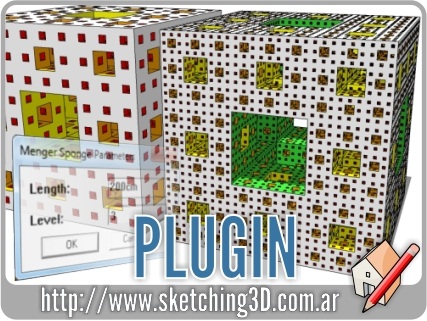
Menger Sponge Plugin


Author: Regular Polygon

Description: This plugin will make a Menger Sponge for you. The Menger sponge is a fractal embedded in 3-dimensional space. To run the script, select Menger Sponge from the Draw menu.  This brings up a dialog box. Enter the parameter values.  Click OK, and place the component in the model.


Also you can download this .skp model

25 July 2010

Torus Plugin


Author: Regular Polygon

Description: Draws a torus. You just go to the menu item Draw -> Torus, enter the parameters in a dialog box, and place the newly created component in the model. This plugin will also draw a "twisted torus".